Your Design Skill Can Become a Career Advantage
Imagine two fresh graduates applying for the same digital marketing internship. Both know basic social media, but one can also create clean posts, presentations, ad creatives, resumes, and campaign visuals. That extra skill can make the candidate easier to consider. This is where a Canva Course becomes more than a software lesson. For final-year students, fresh graduates, internship seekers, job seekers, and career starters, Canva can support digital marketing, social media, content creation, freelancing, personal branding, and small-business work.
The challenge is choosing the right course. Search online and you will find options focused on certificates, templates, or practical projects.
So, how do you decide?
This guide explains what to check before enrolling, from syllabus and projects to trainer support and career relevance.
Why Choosing the Right Canva Course Matters
Learning basic Canva functions is easy. Career-ready design is different.
Employers and clients need people who can understand a brief, select the right format, create clear layouts, follow brand guidelines, adapt content for different platforms, and deliver work on time.
The World Economic Forum’s Future of Jobs Report 2025 identifies creative thinking as a skill expected to grow in importance and says nearly 40% of workers’ core skills are expected to change by 2030.
Canva reported that its community reached 260 million monthly users in 2025, showing the huge role visual communication now plays across classrooms, businesses, teams, and creator work.
The lesson is simple: do not choose a course only because it teaches Canva. Choose one that helps you turn the tool into a useful workplace skill.
What Should a Good Canva Course Teach?
Before checking the fee, open the syllabus.
A beginner module should cover the interface, templates, text, images, colors, typography, layouts, resizing, and basic editing.
The next level should include social posts, carousels, presentations, posters, resumes, thumbnails, promotional creatives, and simple brand assets.
A career-focused Canva Course should also teach design principles, audience awareness, visual hierarchy, brand consistency, and visual storytelling.
Look for lessons that answer “why,” not only “how.” That is the difference between learning a tool and learning a skill.
How to Choose the Best Canva Course for Your Career
1. Start With Your Career Goal
Do not choose a course before deciding why you want to learn Canva.
A student interested in social media marketing needs a different learning path from someone planning to freelance as a content designer.
If your goal is digital marketing, prioritize social media creatives, ad visuals, campaign designs, presentations, content calendars, and brand consistency.
If you want freelancing work, look for client briefs, revisions, portfolio projects, and practical delivery workflows.
For learners comparing best internship courses, Canva becomes more useful when combined with marketing, content, communication, and portfolio-building skills.
2. Check Whether the Syllabus Is Practical
A long syllabus does not automatically mean a better course.
A useful program should make you create real outputs. You might be asked to design an Instagram campaign for a fictional café, a LinkedIn post for a startup, a college event poster, a YouTube thumbnail, and a business presentation.
Projects build confidence because you are solving a design problem instead of simply watching someone work.
3. Look for Portfolio-Based Learning
A certificate shows completion. A portfolio shows capability, which is especially important for freshers with limited work experience.
Choose a Canva Course that helps you create different formats, such as social media posts, carousels, presentation slides, promotional creatives, and personal-branding material.
Your portfolio does not need 50 designs. A smaller collection of strong projects can be more convincing than dozens of random templates.
4. Check Trainer Experience and Feedback
The instructor can change your learning experience. A good trainer should explain not only how to create a design but why a decision works.
Before enrolling, check trainer experience, learner reviews, sample lessons, teaching style, question support, assignments, and practical feedback.
5. Compare Live, Recorded, and Hybrid Learning
Your schedule matters.
Live classes help when you want interaction and immediate questions. Recorded lessons provide flexibility around college, work, or internships. Hybrid learning can offer both.
Ask yourself: “Will I actually complete this course?”
A shorter program that you finish with strong projects may be more valuable than a huge video library you never complete.
6. Check for Assignments and Feedback
Watching someone create a design can feel productive. Creating one yourself develops the skill.
A strong course should include assignments and feedback. You should be able to submit a design, understand what needs improvement, and revise it.
Look for briefs involving different audiences and objectives. This builds adaptability rather than dependence on templates.
7. Make Sure the Course Supports Career Skills
Career preparation should not stop at design tools.
You also need communication, creative thinking, attention to detail, basic marketing awareness, time management, and the ability to understand a client’s requirements.
The WEF lists creative thinking, technological literacy, analytical thinking, resilience, and lifelong learning among important workplace skills.
For students comparing digital marketing course in indore options, check whether practical creative work is part of the curriculum.
Canva Course Comparison: What Should You Look For?
| Feature | Basic Course | Career-Focused Course |
|---|---|---|
| Canva tools | Basic features | Basic to advanced workflow |
| Templates | Mostly template use | Customization and original layouts |
| Design principles | Limited | Strong focus |
| Assignments | Few or none | Regular practical projects |
| Portfolio | Often missing | Core learning outcome |
| Feedback | Limited | Guided review |
| Marketing use | Low | Social media, ads, branding |
| Career preparation | Limited | Portfolio and project discussion |
| Certificate | Supporting proof | Supporting proof |
| Real-world briefs | Rare | Recommended |
The best option is not necessarily the course with the most videos. Look for a strong connection between learning and application.
How Canva Skills Can Support Different Careers
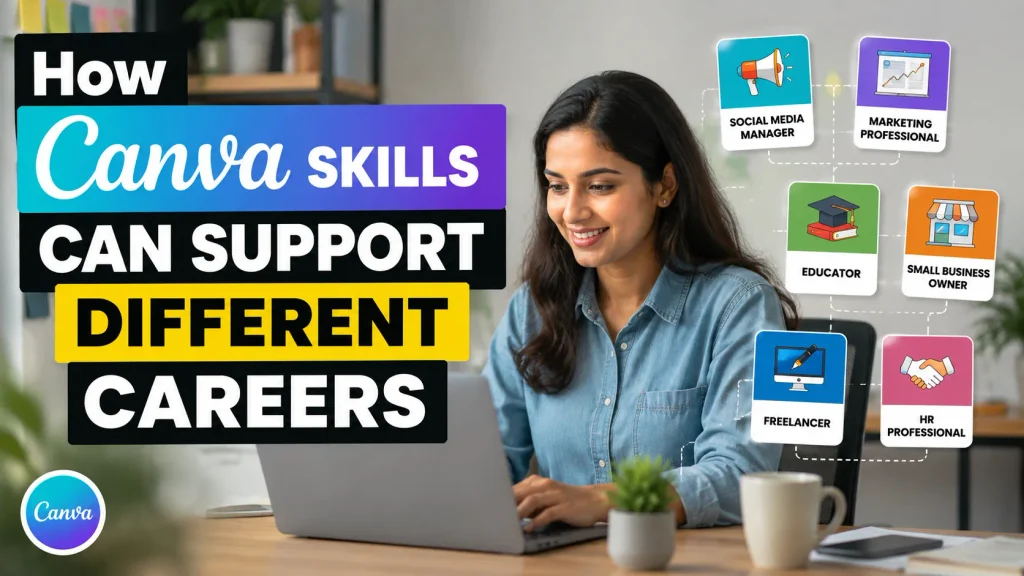
One reason Canva is attractive to beginners is its flexibility.
A digital marketing intern can use it for campaign creatives, social posts, presentations, and simple ad visuals.
A content creator can use it for thumbnails, carousels, promotional graphics, and content packages.
An HR professional can use it for recruitment posts, presentations, internal announcements, and employer-branding material.
Students can use it for project presentations, event promotions, college activities, and personal portfolios.
Small businesses can use it for offers, menus, brochures, and social media graphics.
For someone looking for digital marketing internship in indore, practical Canva work can become an additional portfolio skill. People comparing digital marketing training in indore should also check whether the learning includes real content creation and campaign assignments.
Real-Life Example: From College Projects to Portfolio
Consider Aarav, a fictional final-year commerce student.
He knew basic Canva because he had used templates for college presentations. However, he could not explain his design choices and had no portfolio.
Instead of collecting another certificate, he followed a project-based plan. He created a mock café campaign, a five-slide business presentation, a LinkedIn hiring post, and a personal-branding kit.
After reviewing his work, he improved spacing, typography, image selection, and consistency.
When he applied for an internship, he could discuss actual projects instead of simply saying, “I know Canva.”
That is the kind of transformation a good course should encourage.
Case Study: Why Practical Projects Matter
Consider Neha, another fictional fresh graduate interested in social media.
She first chose a low-cost course because it offered many hours of video. After finishing, she still struggled when asked to create a post from a blank page.
She changed her approach and started practicing briefs:
“Create a promotional post for a weekend sale.”
“Design a recruitment post for a startup.”
“Create a carousel explaining a financial concept.”
“Turn a long paragraph into a simple visual.”
Her work improved because she was learning how to solve design problems.
The lesson is not that expensive courses are always better. Project-based practice can be more useful than passive video watching.
Industry Trends: Why Visual Skills Still Matter
Work is becoming more visual and automated. AI can speed up idea generation, copy suggestions, image creation, and repetitive tasks, while human judgment remains important for audience understanding, brand consistency, and clear communication.
The WEF expects AI and big data, technological literacy, creative thinking, and other skills to grow in importance through 2030.
For beginners, the practical lesson is to combine tool knowledge with creative judgment.
Do not aim to become someone who only knows where every Canva button is. Aim to become someone who can receive a brief and turn it into clear visual communication.
Common Mistakes When Choosing a Canva Course
The first mistake is choosing only by price. Compare outcomes, projects, support, and curriculum instead.
The second is chasing certificates. A certificate can support your profile, but it cannot replace practical work.
The third is choosing a course with many tools but little practice. More features do not automatically create better designers.
The fourth is ignoring your career direction. A freelancer, student, social media intern, and business owner may use Canva differently.
The fifth is copying templates without learning design principles. Templates are useful starting points, but adaptability is the real skill.
The sixth is ignoring feedback. If every assignment only receives a completion mark, improvement may be slower.
How to Evaluate a Course Before Enrolling
Use this quick checklist while comparing options:
Is the syllabus clearly visible?
Does it start from beginner level?
Does it include practical assignments?
Will I build a portfolio?
Is trainer support available?
Are real-world briefs included?
Does it cover social media and marketing designs?
Does it teach basic design principles?
Is the learning format suitable for my schedule?
Is the certificate clearly explained?
Are reviews detailed and believable?
Does the course connect the skill to career applications?
If most answers are yes, you have a stronger basis for your decision.
Step-by-Step: How to Start Your Canva Learning Journey
Step 1: Choose your direction. Decide whether you want digital marketing, social media, content creation, freelancing, internships, or personal branding.
Step 2: Compare three to five courses. Review their syllabus, projects, trainers, duration, format, and support.
Step 3: Take a sample lesson. Notice whether the trainer explains design decisions clearly.
Step 4: Check the projects. Find out what you will actually create.
Step 5: Practice immediately. Do not wait until the course ends.
Step 6: Build your portfolio. Save your strongest work and improve weak designs.
Step 7: Add another career skill. Digital marketing, copywriting, social media, presentation design, or branding can increase your practical value.
Step 8: Use projects in applications. Explain the brief, your approach, and the final result.
For students exploring digital marketing classes in indore, combining design practice with marketing projects can create a stronger profile.
How Much Should You Pay for a Canva Course?
There is no universal right price.
Instead of asking, “What is the cheapest Canva Course?” ask, “What will I be able to do after completing it?”
Compare the full value. Does the fee include live instruction, assignments, feedback, projects, portfolio guidance, recordings, or career support?
A free course may be enough for basic exploration. A structured paid program can make sense when you need accountability and feedback.
Your goal should be improvement, not simply course completion.
Canva Course + Digital Marketing: A Useful Combination
For career starters, combining visual design with digital marketing can create a practical skill stack.
A marketer who understands basic design can communicate better with designers and create simple campaign assets independently.
A content professional who understands social media strategy can design with a purpose instead of making visuals that only look attractive.
An internship seeker who can show marketing knowledge plus practical creative work can make their portfolio more interesting.
This is especially relevant for students searching for the best digital marketing course in indore, top digital marketing institute in indore, or best digital marketing institute in indore. Do not judge a training program only by its title. Check for hands-on projects, portfolio work, practical assignments, and current digital workflows.
If your wider goal is finding the best internship company in indore, practical proof of your skills can also help you stand out during applications and interviews.
Interactive Question: What Would You Create?
Give yourself a small test.
Imagine a local business asks you to create an Instagram post for a weekend offer.
Could you choose the right size, headline, image, colors, call-to-action, and layout without copying a template exactly?
If the answer is “not yet,” that is okay. It tells you what to learn.
Now imagine you can create the design, explain your choices, receive feedback, and improve it. That is a clearer career goal than simply saying, “I want to learn Canva.”
Final Checklist Before You Choose
Before enrolling, ask yourself:
Does the course match my career goal? Will I create real projects and receive feedback? Can I build a portfolio? Does the trainer have practical experience? Is the format realistic for my schedule? Does the syllabus teach design thinking, not just features? Are the outcomes clear?
If most answers are yes, you have a stronger basis for your decision.
Final Thoughts: Choose the Course That Helps You Create
The best Canva Course is not necessarily the longest, cheapest, most expensive, or most advertised.
It is the one that helps you move from “I have used Canva” to “I can create useful visual content for a real audience.”
For students and freshers, that difference matters. Choose practical assignments, build a portfolio, ask for feedback, and connect design with another career skill.
The Internspire can be a useful place to explore practical skill development, internship preparation, and career-focused learning. Start with one clear career goal and build one strong project at a time.
Your first design may not look professional. That is okay.
Your first project does not need to prove expertise. It should show that you are ready to learn, practice, and grow.
FAQs
Is a Canva Course useful for freshers?
Yes. Canva can support social media, digital marketing, presentations, content creation, personal branding, and internship work. Its value increases when you build practical projects instead of only completing lessons.
Do I need graphic design experience to learn Canva?
No. Beginners can start with layouts, typography, colors, images, and templates. A structured course can help you develop stronger design judgment.
Can Canva help me get a digital marketing internship?
It can strengthen your profile, especially when combined with marketing knowledge. A portfolio of social media posts, campaign creatives, presentations, and content designs gives you practical work to discuss in an interview.
Is a Canva certificate enough to get a job?
No certificate guarantees employment. A certificate can show course completion, while employers may also assess your portfolio, communication, creativity, and ability to solve practical tasks.
How long does it take to learn Canva?
Basic features can be learned quickly. Becoming confident enough to create professional work takes consistent practice. Project-based learning is more useful than focusing only on the number of days.
Should I learn Canva before digital marketing?
You can learn them in either order. Canva is especially useful with social media, content, advertising, branding, and communication.
What should I put in a Canva portfolio?
Include different formats and purposes. Social posts, carousels, presentations, promotional creatives, thumbnails, event posters, resume designs, and realistic business projects can create a strong beginner portfolio.
Is an online Canva Course better than offline training?
Neither is automatically better. Choose based on trainer support, practice, feedback, schedule, and projects.
Can I use Canva skills for freelancing?
Yes. Canva can support social media graphics, presentations, promotional creatives, and thumbnails. Freelancers should also learn client communication, revisions, deadlines, and pricing.
What is the biggest thing to check before enrolling?
Look at what you will be able to create after completing the course. A clear syllabus, practical projects, feedback, portfolio development, and career relevance are stronger indicators than marketing claims alone.
Call to Action
Ready to build a practical digital skill? Start by comparing your learning goals, choosing a project-focused program, and creating work you can confidently show to employers or clients. Explore The Internspire for career-focused learning and internship opportunities, and take the next step toward becoming job-ready.